Language Reactor vs FunFluen
Get a clear guide to Language Reactor vs FunFluen. Learn the key points, avoid confusion, and make it practical for learners.

Short Verdict
Which Netflix learning tool is better? Choose Language Reactor if your main goal is reading, translating, and building vocabulary from Netflix or YouTube subtitles. Choose FunFluen if your main goal is turning scenes into repeatable speaking practice.
Two learners can watch the same Netflix scene and fail for opposite reasons. One cannot understand the words. The other understands the line perfectly, then freezes when trying to say anything similar later. That is why a Language Reactor vs FunFluen decision should start with the bottleneck, not the feature list.
Both tools can help, but they solve different problems. Language Reactor is strongest when you want more control over text: dual subtitles, quick word lookup, and study support around the line you are watching. FunFluen is strongest when you already understand enough of the scene and want to practice saying useful lines aloud instead of only recognizing them.
So the real question is not "Which tool is better?" It is: "Am I trying to understand more, or speak more?"
If you are searching for a Language Reactor alternative, be precise about what you want to replace. FunFluen vs Language Reactor is not a simple winner-takes-all comparison. It is a choice between meaning support and output practice.
Best Default Choice
Best default choice: choose Language Reactor when meaning is the bottleneck, choose FunFluen when speaking is the bottleneck, and use Netflix alone first if you do not yet know which blocker is real.
That is the Meaning-vs-Speaking Decision: do not buy the tool with the longest feature list. Choose the tool that attacks the exact moment where your practice breaks.
Current Feature Check
Use this as a current-feature checklist, not a permanent claim. Browser extensions, Netflix behavior, pricing, and product features can change, so verify the official pages and test one scene on your own device before committing.
Because this comparison is published by FunFluen, the trust test is simple: do not choose FunFluen because this page says so. Choose it only if the five-minute bottleneck test shows that speaking practice, not meaning support, is your real blocker.
| Tool | Publicly visible fit | What to verify before committing |
|---|---|---|
| Language Reactor | The Chrome Web Store listing describes Netflix and YouTube support, dual subtitles, popup dictionary help, precise playback controls, and imported text/web content features | Current browser support, pricing, and whether it works on the exact Netflix title you want |
| FunFluen | The FunFluen install page is the place to verify current install support; the product is positioned around scene practice: subtitle support, easier pausing, saved phrases, Fluency Gym, and Speaking Mode | Current install support, plan details, and whether your selected title already has usable Netflix audio/subtitles |
The Bottleneck Test
Use this one-minute check:
| Your main frustration | Better first fit | Why |
|---|---|---|
| I miss words and need quick meaning support | Language Reactor | It is built around subtitle reading, translation help, and dictionary-style lookup |
| I understand the line but cannot say it naturally | FunFluen | It pushes the scene toward pausing, shadowing, and speaking practice |
| I want vocabulary cards and later review | Language Reactor | It is the safer first choice for text-first vocabulary workflows |
| I keep rewinding manually and losing focus | FunFluen | It reduces friction around practicing one scene repeatedly |
| I want the cheapest possible setup | Start with Netflix alone | Manual replay plus a notebook may be enough at first |
If your current routine is mostly reading subtitles, test Language Reactor first. If your current routine is stuck at "I understand, but I freeze when I speak," test FunFluen first.
What Language Reactor Does Best
Language Reactor is a strong tool for learners who want to understand native video more deeply. Its public listing describes support for dual-language subtitles, popup dictionary help, precise playback controls, YouTube support, and imported text/web content features.
That makes it especially useful when your session looks like this:
- Watch one line.
- Check the meaning.
- Notice a word or phrase.
- Save or review it later.
- Continue watching with more confidence.
Language Reactor is a good fit for learners who like visible text and careful vocabulary work. If you enjoy pausing to inspect words, compare translations, and build a study list, it gives you a more complete text-first environment than Netflix alone.
What FunFluen Does Best
FunFluen is better positioned for the next step after understanding: active practice.
The learner it helps most is not completely lost. They can follow the scene with subtitles, but they do not automatically produce the language later. They recognize the sentence on screen, then freeze when a real conversation asks for the same sentence.
The difference is what happens after you understand the line.
Language Reactor helps you decode: "What did they say?"
FunFluen pushes you into output: "Can I say something like that?"
That is where passive watching becomes speaking practice.
For that learner, the useful workflow is:
- Watch a short scene.
- Pick one line worth using in real life.
- Pause before the answer feels automatic.
- Guess the line or phrase.
- Reveal the subtitle.
- Shadow the actor's rhythm.
- Say the line without looking.
- Save it for review.
FunFluen is strongest when it supports that loop with subtitle layers, easier pausing, saved phrases, and speaking practice. It should not be treated as a magic fluency button. It is a way to make the practice loop easier to repeat.
FunFluen speaking loop: Scene -> Pause -> Guess -> Reveal -> Shadow -> Speak -> Save.
What the Two Workflows Look Like
Language Reactor-style workflow: read the subtitle, translate the phrase, inspect the word, save vocabulary.
FunFluen workflow: pause the scene, guess before reveal, shadow the line, say it without looking, save the phrase for speaking review.
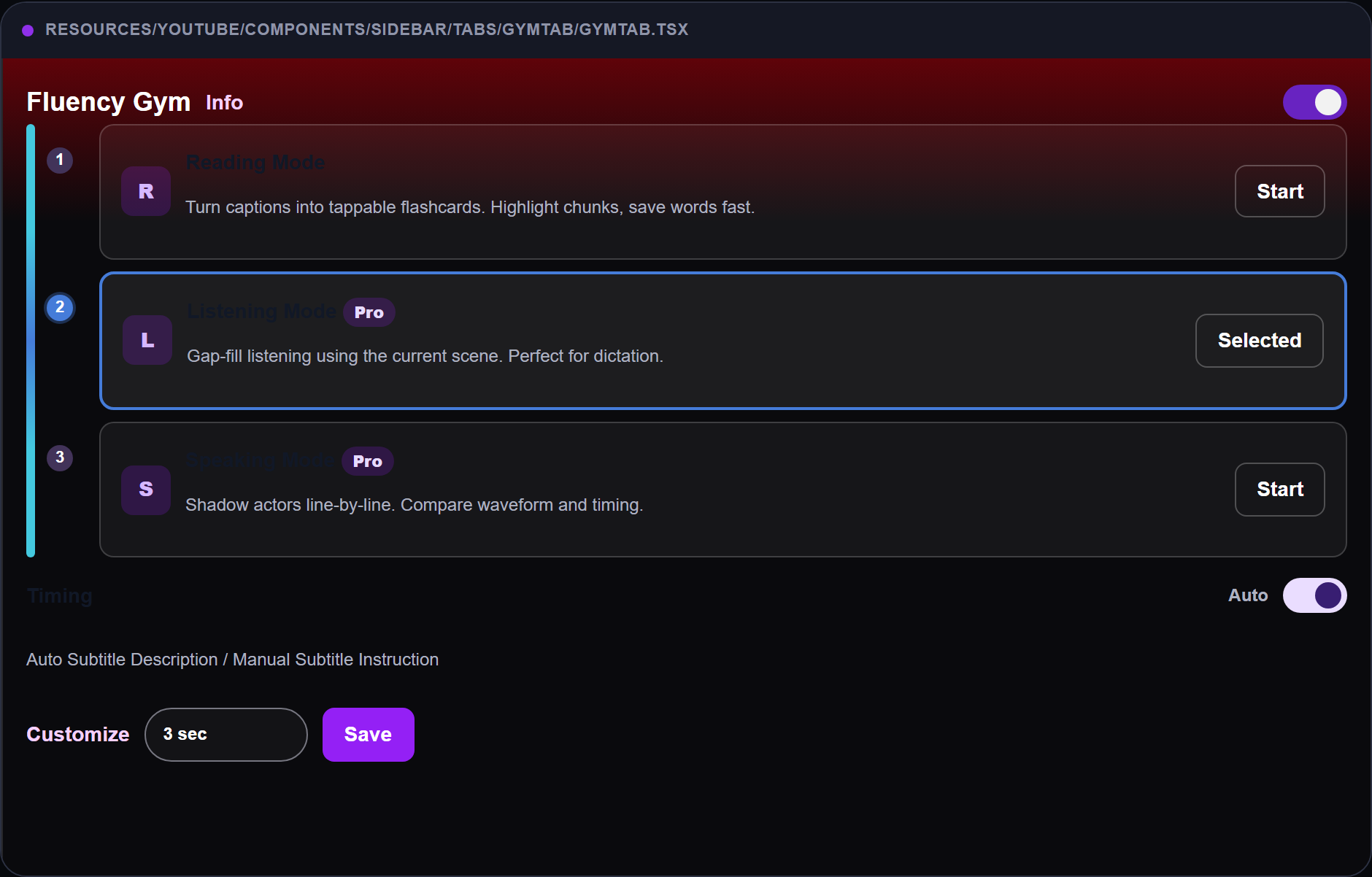
In Fluency Gym, the user is not only reading a line. The scene becomes a speaking cue: pause, notice the phrase, try to produce it, and repeat it until the line feels usable.
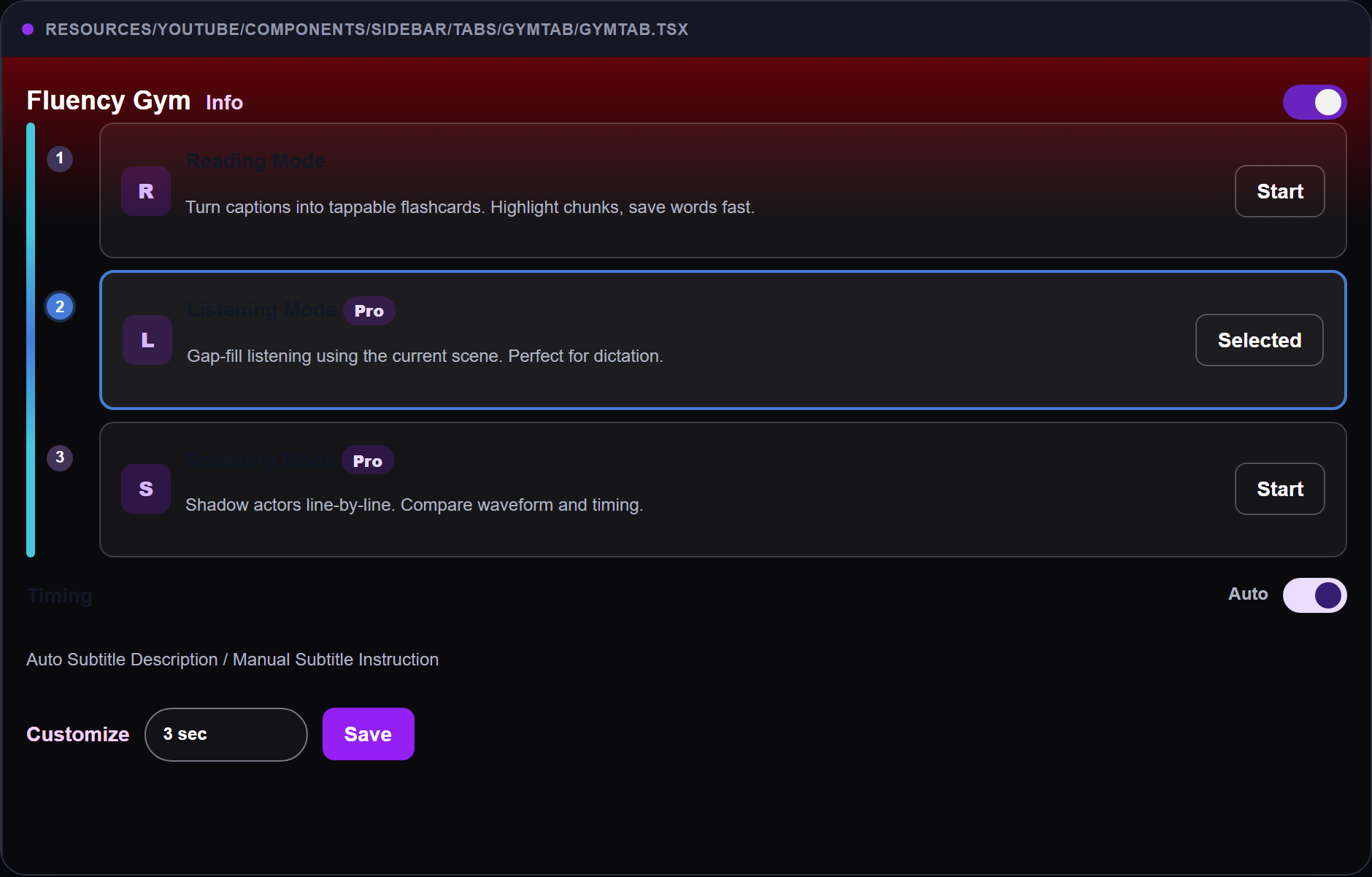
In Speaking Mode, the product difference becomes clearer: the learner is pushed toward saying the line, not just collecting it.
The visual difference matters because the learning behavior is different. A text-first workflow asks, "Can I understand this?" A speaking workflow asks, "Can I produce this when the subtitles disappear?"
Who Should Not Choose FunFluen First?
FunFluen is not the right first choice for every learner.
Choose Language Reactor first if you still miss too many words, need dictionary-heavy lookup, want YouTube and Netflix text support in one place, or mainly want vocabulary cards and translation help.
Choose Netflix alone first if you are not sure whether any tool will help. One manual scene proves the blocker before you add another product.
Choose FunFluen first only when the sentence is understandable but hard to say. That keeps the product role honest: output practice, not text decoding.
Feature-by-Feature Comparison
| Feature area | Language Reactor | FunFluen | Practical meaning |
|---|---|---|---|
| Main learning mode | Reading, translation, vocabulary support | Scene practice, shadowing, speaking support | Pick based on whether you need meaning or output |
| Subtitle support | Strong dual-subtitle and text-focused support | Learner-friendly subtitle layers for practice | Both help with subtitles, but the session shape differs |
| Dictionary / word lookup | Stronger known fit | Not the main reason to choose it | Vocabulary collectors should start with Language Reactor |
| Playback control | Helpful precise controls | Practice-oriented pausing and replay support | Choose the one that matches your routine |
| Speaking practice | Mostly learner-led | Central to the workflow | FunFluen is the better speaking-practice fit |
| Platform support | Desktop Chrome extension; check current store listing | Use supported browser/video pages; check current install page | Do not assume full mobile or TV support for either tool |
| Pricing | Check current official pricing and in-app purchase details | Check current FunFluen plan details | Pricing can change, so verify before deciding |
The biggest mistake is comparing feature lists as if both tools are trying to be the same product. They are not. Language Reactor helps you handle the subtitle text. FunFluen helps you turn a scene into a speaking repetition.
Also check current availability before you build a routine around either tool. Browser extension support, Netflix site changes, pricing, and platform coverage can change. The safe decision is to test one current title on your own device before committing.
Compatibility and Pricing Caveats
| Question | Safer assumption |
|---|---|
| Does it work on TV? | Do not assume TV support for either tool |
| Does it work on mobile? | Check the current install page or store listing first |
| Does it work on Netflix? | Test the exact title and browser before building a routine |
| Does it work on YouTube? | Language Reactor publicly highlights YouTube support; verify current FunFluen support separately |
| Is it free or paid? | Pricing can change, so check current plan pages before deciding |
Do not compare only the monthly price. Compare the cost of the blocker. If you need meaning support, pay for meaning support. If you need speaking practice, pay for output practice. The cheaper tool is the one that removes the problem you actually have.
If you still need the basic Netflix setup first, start with How to Set Up Netflix for Language Learning. If your subtitles are confusing you, check Why Netflix Subtitles Do Not Match the Audio. If you want the full practice system after choosing a tool, use How to Learn English with Netflix.
Is FunFluen a Language Reactor Alternative?
Yes, if you want a Language Reactor alternative for Netflix-based language practice. No, if you mainly want Language Reactor's text-first dictionary, translation, and vocabulary workflow.
FunFluen is a better alternative for learners who already understand enough of the scene and want speaking practice from it. Language Reactor is the safer choice when the scene is still too hard to understand without translation and word lookup.
Which Tool Should You Use by Level?
Beginner
Start with Netflix alone or Language Reactor. Beginners usually need meaning support before speaking pressure. Dual subtitles, translation help, and slower inspection can prevent frustration.
Use FunFluen later when you can already understand short lines and want to repeat them aloud.
Intermediate
This is the strongest decision point. If you are still missing many words, Language Reactor is probably the better first tool. If you understand the scene but cannot speak smoothly, FunFluen is probably the better first tool.
Intermediate learners often get the biggest improvement by using one scene both ways: first understand it, then practice saying it.
Advanced
Advanced learners should choose based on output. If you want vocabulary mining, idioms, and careful line-by-line inspection, Language Reactor still makes sense. If you want accent, rhythm, speed, and spoken recall, FunFluen is the more direct fit.
The Manual Option
You can do a lot without either tool:
- Play a short Netflix scene.
- Turn on target-language subtitles.
- Pause after one useful line.
- Write the line in a notebook.
- Replay it twice.
- Say it aloud without looking.
This is slower, but it proves the method. If the manual loop helps, then a tool is worth considering because it removes friction from something you already know works.
Test Both in One Scene
Use the same three-minute scene so the comparison stays honest:
- Watch once with Netflix alone.
- If you stop because you need meaning, test Language Reactor on that line.
- If you stop because you want to say the line better, test FunFluen on that line.
- After five minutes, ask one question: did the tool make the blocker smaller?
This is a better test than reading another comparison page because it exposes your real bottleneck immediately.
My Recommendation
Use Netflix alone for one scene. If meaning is the blocker, try Language Reactor. If speaking is the blocker, try FunFluen. If both are blockers, use Language Reactor first for understanding, then move the lines you actually want to say into a speaking loop.
That sequence keeps the decision grounded in your real problem instead of a feature checklist.
FAQ
Is Language Reactor better than FunFluen?
It is better for subtitle reading, translation help, and vocabulary-focused study. It is not automatically better for speaking practice.
Is FunFluen better than Language Reactor?
It is better when your goal is active speaking practice from scenes. It is not the better choice if your main need is dictionary-heavy vocabulary mining.
Can I use both?
Yes. A practical combination is to use Language Reactor to understand a difficult scene, then use a speaking-practice loop to repeat the lines you actually want to use.
Do either of these tools work on TV?
Do not assume TV support. Browser extensions usually work best on desktop browsers. Check each tool's current official install page before planning your routine around a device.
Which should I try first?
Try the one that matches your bottleneck. If your bottleneck is meaning, try Language Reactor. If your bottleneck is speaking, try FunFluen.
Try One Scene
Pick a Netflix scene you already understand today. If your hand goes to the dictionary, you need more meaning support. If your mouth freezes when you try to repeat the line, you need more speaking support. That one scene will tell you which tool is the better next step, and it will keep the Meaning-vs-Speaking Decision honest.
Try FunFluen only if speaking is the blocker. Install FunFluen, open a scene you already understand, and test one line through the loop: pause, guess, shadow, say it without looking. If the line feels easier to say after five minutes, you have your answer.